
Tracking sales and downloads

Most authors who have some books and stories published will want to know what happens overall with respect to sales.
So do I. I used a spreadsheet for a long time but that became so huge and clunky that I needed a better way. I didn't find one, so I made one. Being a programmer it was easy to come up with the framework for my own sales tracker program.
Note: I did not have earnings and income from the sales in mind. The programs keeps track of units, not euros, dollars, yen and zloty.
In this (first?) post I will detail a few of the features of my program, and highlight some things that will definitely put off some people.
What is it?
1. It's text. Plain, boring, dull text. No flashy windows interface with mouse, drag and drop, and so on. Nothing of that. For more tech minded folks: written in Python.
2. For now it's an interesting mix of Dutch and English, which can be tuned as I like or how needs develop.
Here's what it looks like when I just run the program (yes, by hand, in a terminal) without any parameters:
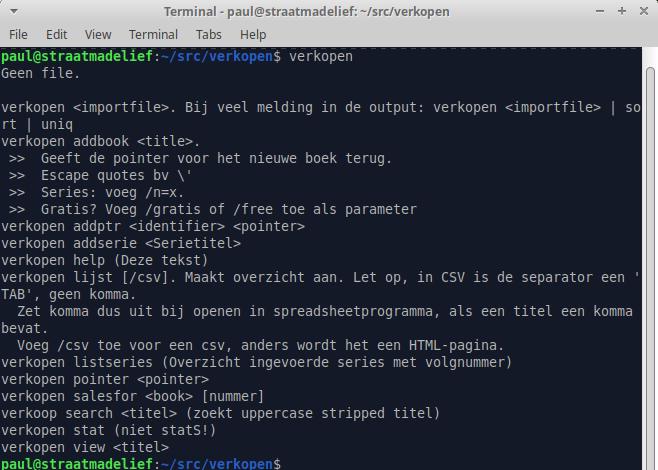
I warned you. Dull text.
Program starts, tells me I didn't give it a file name and displays a list of options. Then it ends. That's it. And yes, a lot of what you can't read is probably Dutch.
What can it do?
Most importantly, you can add book titles to the database. (For the tech minded;: SQLite3.) If you write a series, you can first add the series name to the database.
> verkopen addserie My Pretty Pony Series
The program will tell you the series is added. It will also tell you off if you try to add the same series twice - and it will refuse to do it.
Adding a book will hand you a number. Boring!! It's the sequence number of the book in the database that connects everything. When adding a book, you can tell the program if it's free or not (NOT THE PRICE!) by adding /gratis or /free to the command, and if it's connected to a series. If it's in a series you get to choose which series it's added to. This is done through a parameter /s=99 where 99 is the volume sequence in the series.
> verkopen addbook A New Book I Wrote
Output / response:
A New Book I Wrote Serienummer:0 Gratis: N
Bestaat nog niet. OK. (Doesn't exist yet. OK)
Pointer voor dit boek: 12526 ( <- This is the boring number)
You can (have to, or as Americans would say "you will want to") add ISBNs, ASINs, Google GGKEYs and other things to the database, using the number (the pointer) to connect it to the right book. Yes, there is a command for that, and that also specifies if it's an Ebook, Audiobook or Paperback. This is necessary before a downloaded sales file can be loaded, because the ISBN etc is the linking pin here.
If you load a sales file (Amazon, Google, Draft2Digital or Payhip), the program will check if the corresponding ISBN/ASIN etc exists. If not, it will warn you and stop so you can add the number and reload.
Have you fallen asleep yet?
Of course I can see how many copies were sold of a book and also the country where this happened. And there is a report option that prints a web page for the browser, or a CSV file for your favourite spreadsheet program. (Please tell me that's Libre Office Calc!)
A few examples of what the program can do:
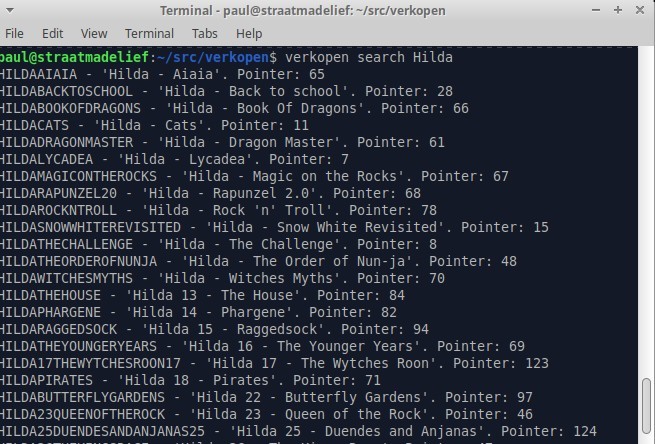
It can search for a book or term:
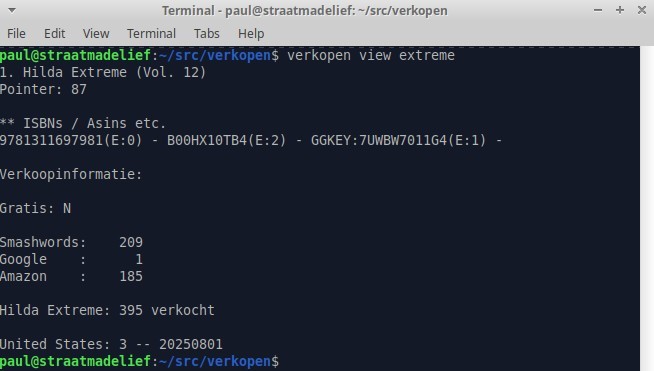
It can show the sales data of a particular book:
Let me know if you're interesting in learning more about this!